Construction Industry ERP Software: A Practical Guide For Contractors Ready To Work Smarter
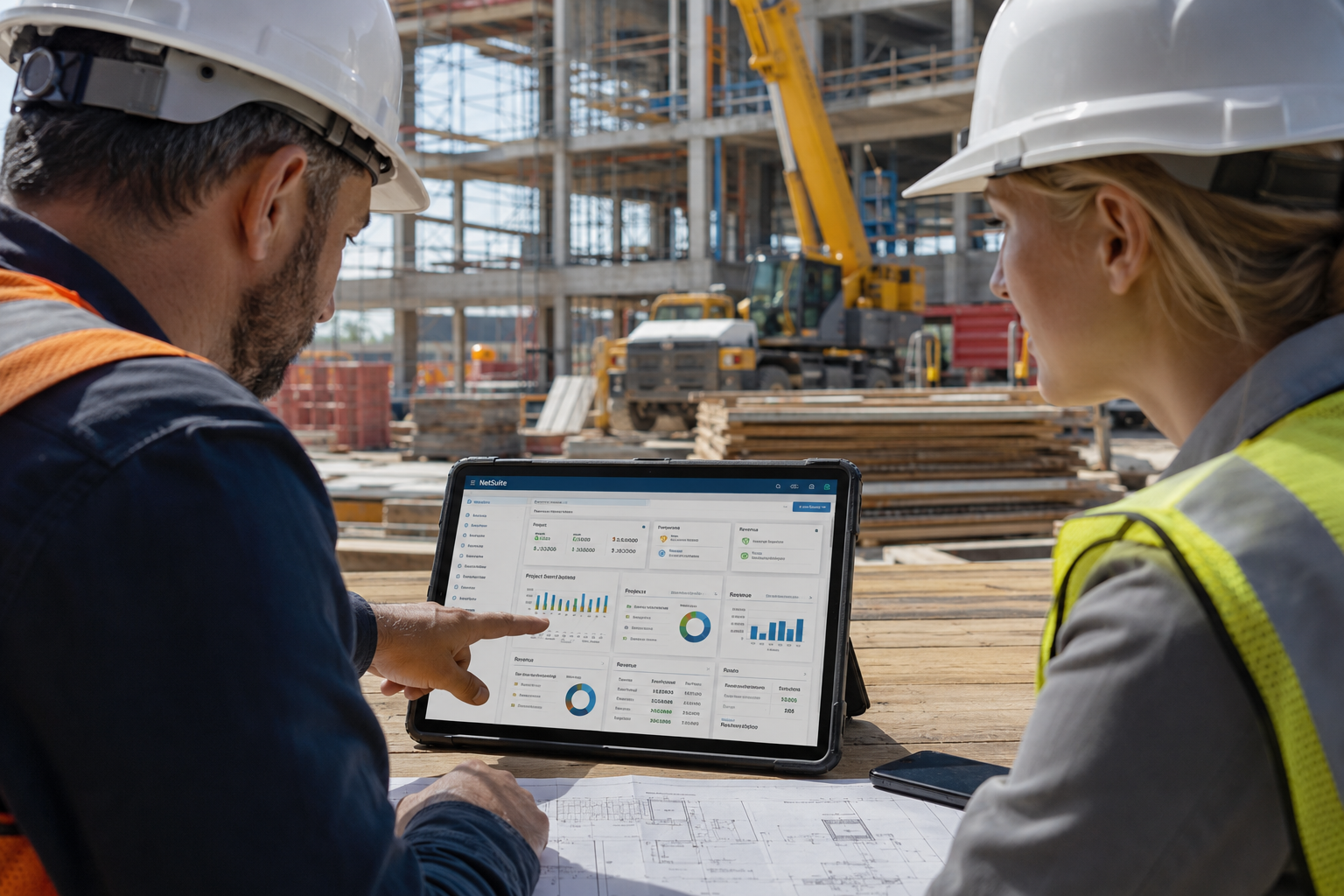
Construction companies don't have much room for guesswork. Every job brings moving schedules, changing material costs, labor planning, subcontractor coordination, billing pressure, and client expectations that don't slow down just because the back office is buried in spreadsheets.
That's where construction industry ERP software becomes more than another tool. It becomes the operating system behind the business.
For many contractors, the problem isn't a lack of effort. The team is working hard. Project managers are chasing updates. Accounting is reconciling numbers. Field teams are sending information however they can. Leadership is trying to make decisions with reports that may already be outdated.
The real issue is disconnected data.
BlueCollar has seen this challenge across construction teams that are ready to move beyond scattered systems and into a cleaner, more connected way of working.
In our NetSuite ERP guide for general contractors, we discuss how cloud-based systems centralize accounting, job costing, inventory, labor tracking, and project workflows on a single platform. This guide breaks down what contractors need to know before choosing an ERP, how it supports job costing and project visibility, and what construction leaders should think about before implementation.
Keep reading to learn more.
What ERP Means For Construction Companies
ERP stands for enterprise resource planning. That sounds bigger and more complicated than it needs to be. In simple terms, ERP connects the core parts of your business into a single system.
For construction companies, this can include project accounting, job costing, procurement, vendor management, payroll, inventory, document management, financial reporting, customer records, and workflow approvals.
Instead of one tool for accounting, another for job costs, another for purchase orders, and another set of spreadsheets for reporting, ERP gives your team one place to manage the work.
This is important because construction data changes fast. A labor overrun on Monday can affect the margin by Friday. A delayed purchase order can hold up a crew. A missed change order can turn profitable work into unpaid work. A billing delay can tighten cash flow across the entire company.
With the right ERP setup, a project manager can see job costs, accounting can see the financial impact, operations can review resource needs, and leadership can look at performance across multiple jobs without waiting for someone to build a manual report.
In short, contractors need a single source of truth across the field, office, and finance teams. The goal isn't to make the business more complicated. The goal is to make the right information easier to see and act on.
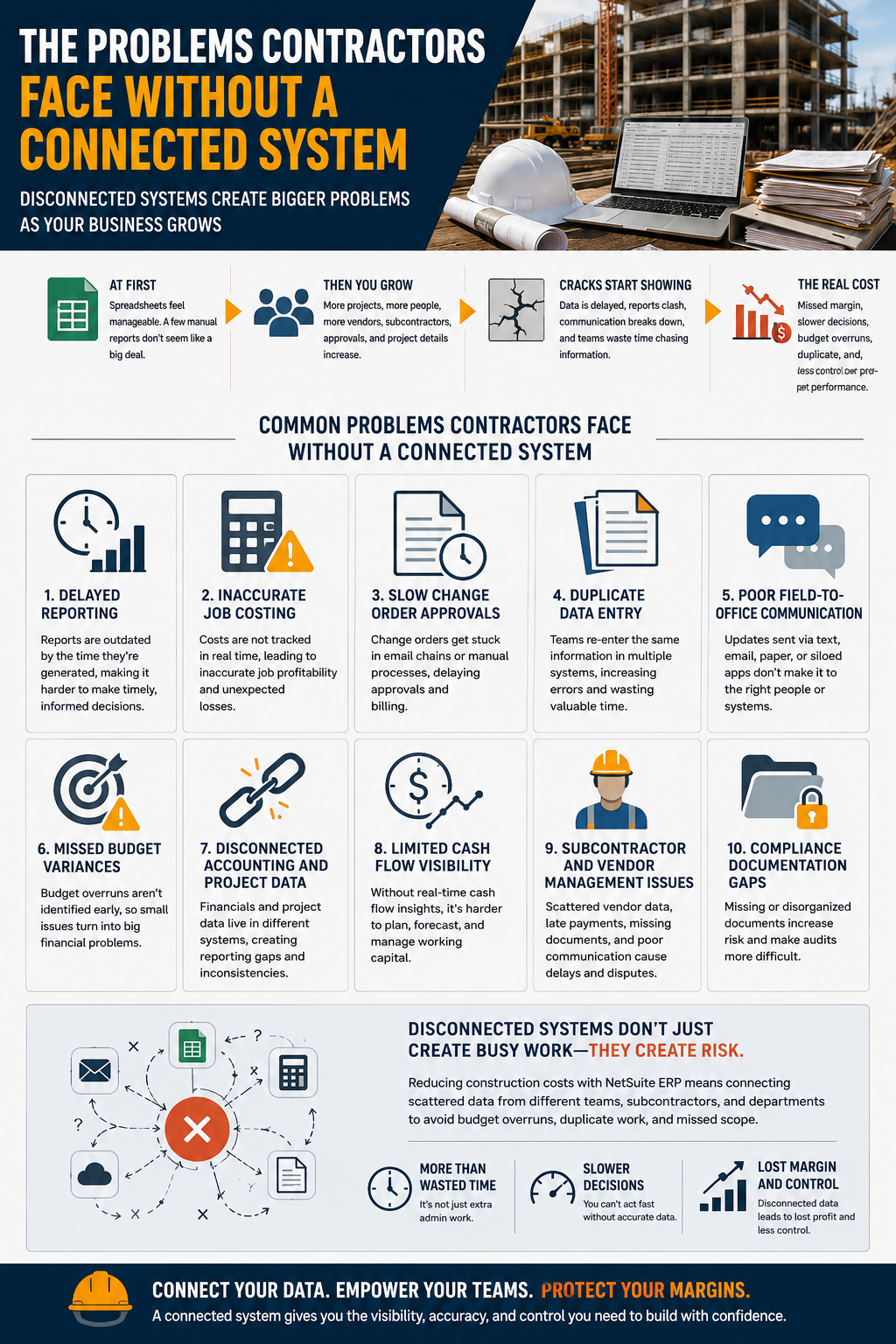
The Problems Contractors Face Without A Connected System
Most construction companies don't wake up one day and decide their systems are broken. The pain builds slowly.
At first, spreadsheets feel manageable. A few manual reports don't seem like a big deal. A disconnected accounting system works well enough. Then the company grows. More projects come in. More people need access to data. The number of vendors, subcontractors, approvals, and project details increases.
That's usually when cracks start showing.
Project managers may not trust the numbers because cost data is delayed. Accounting may spend hours reconciling information from multiple tools. Executives may hear different versions of the same project story depending on who prepared the report. Field teams may send updates via text, email, paper forms, or apps that don't integrate with the financial side of the business.
Common problems include:
- Delayed Reporting
- Inaccurate Job Costing
- Slow Change Order Approvals
- Duplicate Data Entry
- Poor Field-To-Office Communication
- Missed Budget Variances
- Disconnected Accounting And Project Data
- Limited Cash Flow Visibility
- Subcontractor And Vendor Management Issues
- Compliance Documentation Gaps
Reducing construction costs with NetSuite ERP means connecting scattered data from different teams, subcontractors, and departments to avoid budget overruns, duplicate work, and missed scope. And that's the real cost of disconnected systems. It isn't just wasted admin time. It's missed margin, slower decisions, and less control over project performance.
Core Features Construction Teams Should Look For
Not every ERP system fits construction. Contractors need software that can handle the business's financial depth while also supporting how work gets done in the field.
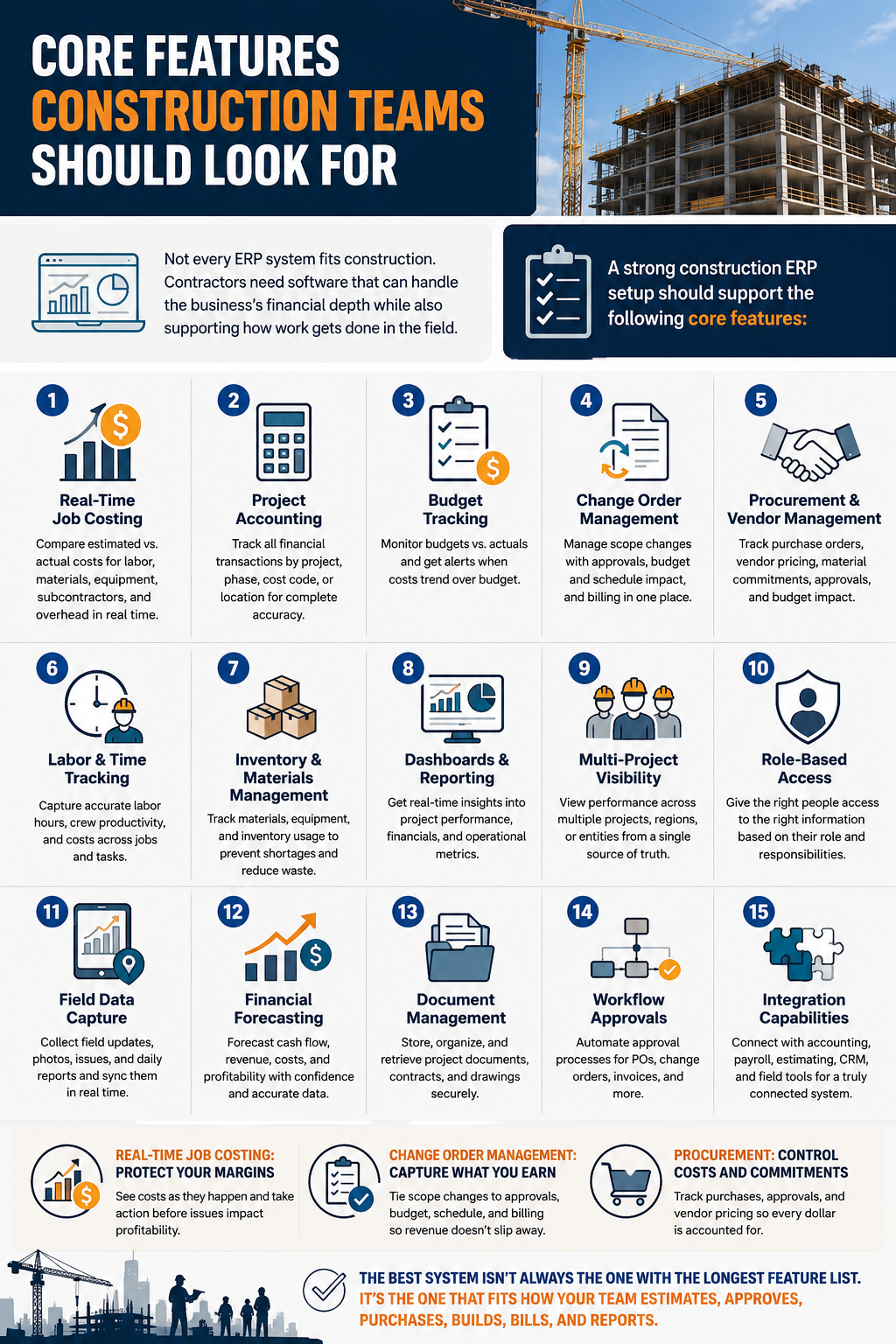
A strong construction ERP setup should support:
- Real-Time Job Costing
- Project Accounting
- Budget Tracking
- Change Order Management
- Procurement And Vendor Management
- Labor And Time Tracking
- Inventory And Materials Management
- Dashboards And Reporting
- Multi-Project Visibility
- Role-Based Access
- Field Data Capture
- Financial Forecasting
- Document Management
- Workflow Approvals
- Integration Capabilities
Real-time job costing is one of the most important features. Contractors need to compare estimated costs against actual labor, materials, equipment, subcontractor expenses, and overhead. Waiting until the end of a project to see whether the job was profitable isn't good enough anymore.
Change order management is another major piece. Scope changes need to be tied to approvals, budget impact, schedule impact, and billing. If change orders live in emails or separate spreadsheets, it's too easy for revenue to slip through the cracks.
Procurement also plays a major role. Teams need to track purchase orders, vendor pricing, material commitments, approvals, and budget impact in one place. Without that connection, it's hard to know whether a job is still on track financially.
The best system isn't always the one with the longest feature list. It's the one that fits how your team estimates, approves, purchases, builds, bills, and reports.
How ERP Improves Job Costing And Project Visibility
Job costing is where many construction companies feel the biggest difference after moving into a connected ERP system.
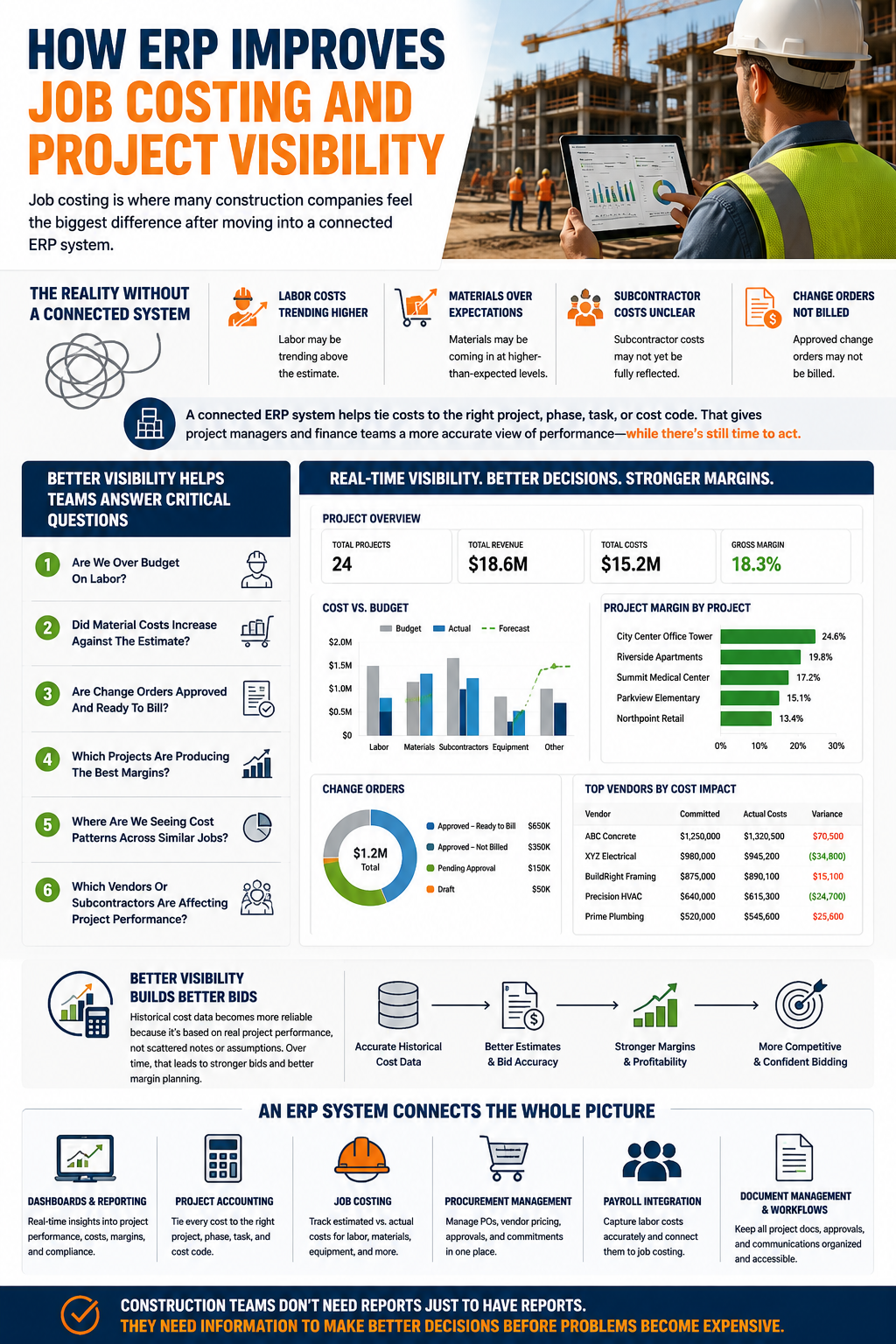
Contractors need to know what's happening while there's still time to act. A job may look healthy on the outside because the schedule appears to be under control, but the financial picture may tell a different story. Labor may be trending above the estimate. Materials may be coming in at higher-than-expected levels. Subcontractor costs may not yet be fully reflected. Approved change orders may not be billed.
A connected ERP system helps tie costs to the right project, phase, task, or cost code. That gives project managers and finance teams a more accurate view of performance.
Better visibility helps teams answer questions like:
- Are We Over Budget On Labor?
- Did Material Costs Increase Against The Estimate?
- Are Change Orders Approved And Ready To Bill?
- Which Projects Are Producing The Best Margins?
- Where Are We Seeing Cost Patterns Across Similar Jobs?
- Which Vendors Or Subcontractors Are Affecting Project Performance?
This type of visibility also helps estimators. Historical cost data becomes more reliable because it's based on real project performance, not scattered notes or assumptions. Over time, that can lead to stronger bids and better margin planning.
In an ideal scenario, contractors benefit from dashboards, project accounting, job costing, procurement management, payroll integration, document management, and custom workflows that help teams stay aligned. Construction teams don't need reports just to have reports. They need information to make better decisions before problems become expensive.
How ERP Supports Better Cost Control
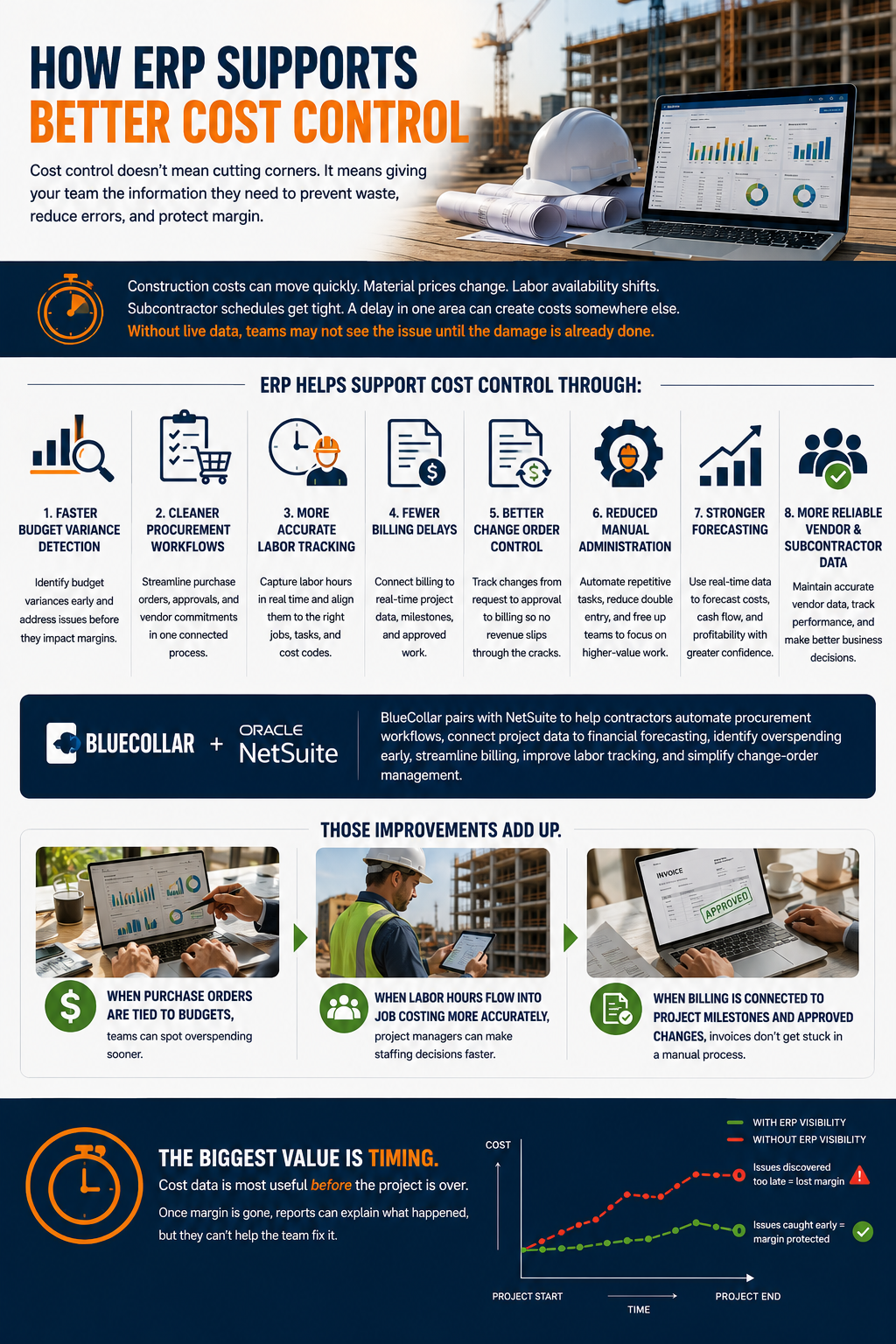
Cost control doesn't mean cutting corners. It means giving your team the information they need to prevent waste, reduce errors, and protect margin.
Construction costs can move quickly. Material prices change. Labor availability shifts. Subcontractor schedules get tight. A delay in one area can create costs somewhere else. Without live data, teams may not see the issue until the damage is already done.
ERP helps support cost control through:
- Faster Budget Variance Detection
- Cleaner Procurement Workflows
- More Accurate Labor Tracking
- Fewer Billing Delays
- Better Change Order Control
- Reduced Manual Administration
- Stronger Forecasting
- More Reliable Vendor And Subcontractor Data
BlueCollar pairs with NetSuite to help contractors automate procurement workflows, connect project data to financial forecasting, identify overspending early, streamline billing, improve labor tracking, and simplify change-order management.
Those improvements add up.
When purchase orders are tied to budgets, teams can spot overspending sooner. When labor hours flow into job costing more accurately, project managers can make staffing decisions faster. When billing is connected to project milestones and approved changes, invoices don't get stuck in a manual process.
The biggest value is timing. Cost data is most useful before the project is over. Once margin is gone, reports can explain what happened, but they can't help the team fix it.
Why Cloud-Based ERP Works Well For Construction Teams
Construction doesn't happen in one office. It happens across jobsites, trailers, warehouses, client meetings, vendor locations, and remote teams. That's one reason cloud-based ERP fits the industry so well.
A cloud-based system gives field teams, project managers, accounting teams, and leadership access to the same data from different locations. That doesn't mean everyone sees everything. Permissions can be set by role. It does mean the business can reduce the lag between what happens in the field and what shows up in the office.
A superintendent can submit a site update. A project manager can review the impact. Accounting can see whether that update affects cost, billing, or documentation. Leadership can check dashboards without asking three different people for the latest version of a spreadsheet.
BlueCollar's cloud-based access helps project managers, estimators, accountants, and executives stay on the same page across multiple jobsites and distributed teams.
That kind of access is especially useful for companies managing multiple crews, locations, entities, or project types. Growth creates complexity. Cloud ERP helps keep that complexity from turning into confusion.
ERP Implementation Considerations For Contractors
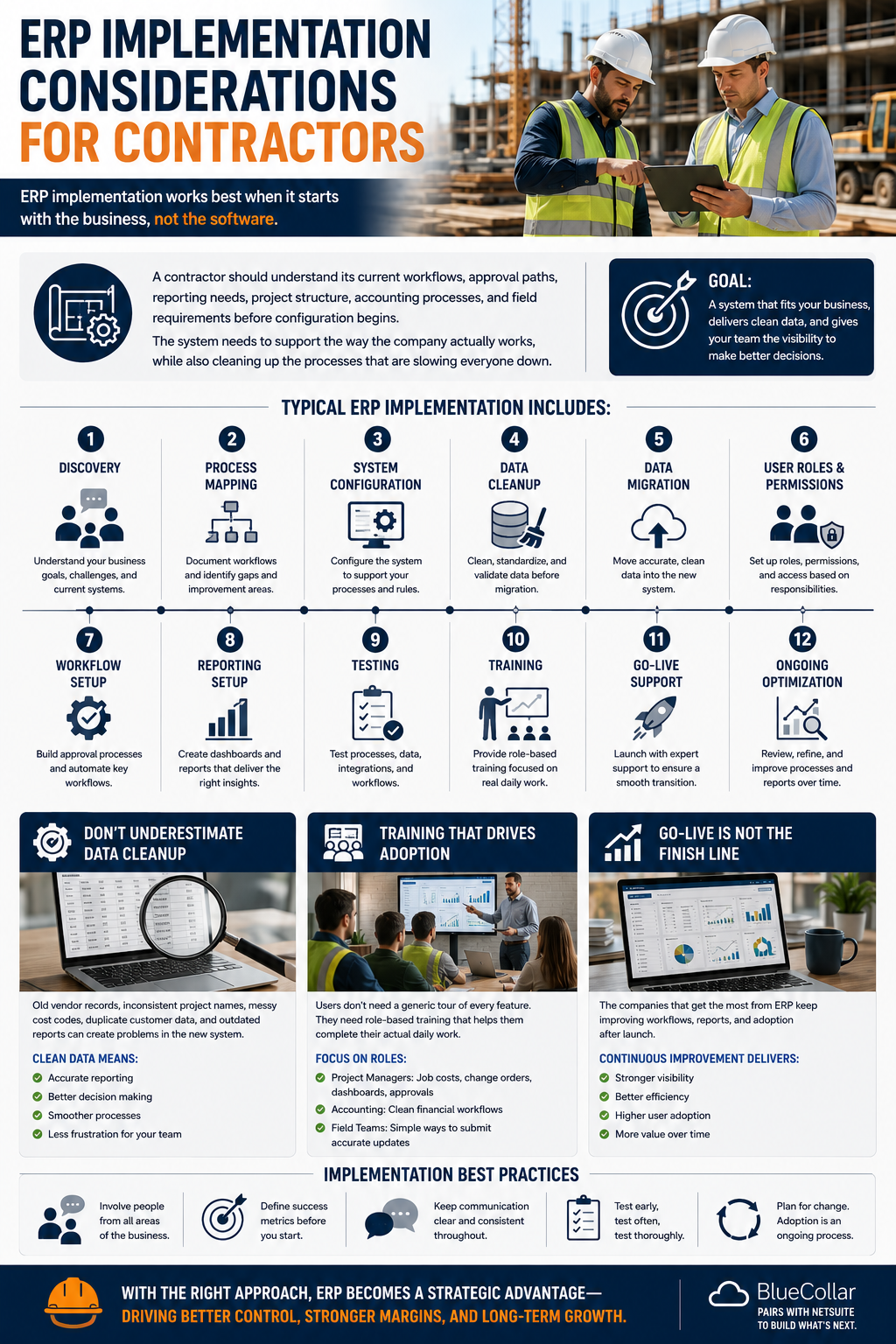
ERP implementation works best when it starts with the business, not the software.
A contractor should understand its current workflows, approval paths, reporting needs, project structure, accounting processes, and field requirements before configuration begins. The system needs to support the way the company actually works, while also cleaning up the processes that are slowing everyone down.
A typical implementation may include:
- Discovery
- Process Mapping
- System Configuration
- Data Cleanup
- Data Migration
- User Roles And Permissions
- Workflow Setup
- Reporting Setup
- Testing
- Training
- Go-Live Support
- Ongoing Optimization
Data cleanup is often one of the most underestimated steps. Old vendor records, inconsistent project names, messy cost codes, duplicate customer data, and outdated reports can create problems if they're moved into a new system without review.
Training matters just as much. Users don't need a generic tour of every feature. They need role-based training that helps them complete their actual daily work. A project manager needs to understand job costs, change orders, project dashboards, and approvals. Accounting needs clean financial workflows. Field teams need simple ways to submit accurate updates.
The companies that get the most from ERP don't treat go-live as the finish line. They keep improving workflows, reports, and adoption after launch.
How Leadership Should Think About ERP Adoption
ERP isn't only a software decision. It's a leadership decision.
Owners, finance leaders, operations leaders, project managers, and field supervisors all have a stake in whether the system works. If leadership treats ERP as an IT project, adoption can struggle. If leadership frames it as a better way to run the company, teams are more likely to understand the purpose behind the change.
Construction teams are busy. They don't want software that adds steps just for the sake of it. They want fewer manual tasks, clearer information, and faster answers.
Good leadership helps connect the system to the daily problems people already feel:
- Project Managers Want Cleaner Job Cost Data
- Accounting Wants Fewer Reconciliations
- Field Teams Want Easier Updates
- Executives Want Better Visibility
- Operations Teams Want More Control Over Schedules, Resources, And Costs
ERP adoption improves when teams understand what's changing, why it's changing, and how the new system helps them do their jobs better.
Common Mistakes To Avoid When Choosing ERP
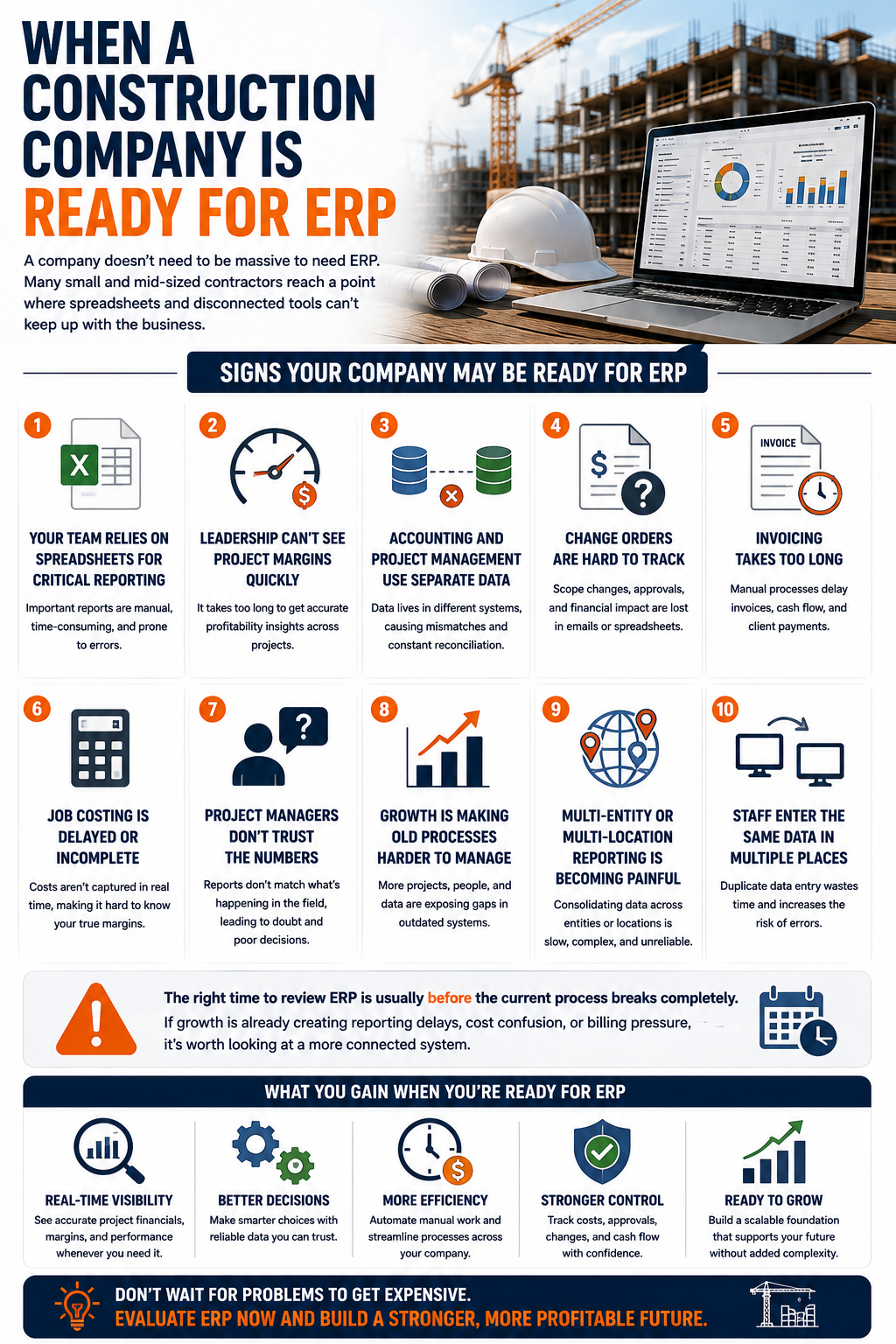
Choosing the wrong ERP can create more work instead of less. Contractors should look beyond the sales demo and think carefully about fit, implementation, reporting, and long-term support.
Common mistakes include:
- Choosing Software Based Only On Price
- Ignoring Construction-Specific Workflows
- Keeping Too Many Disconnected Tools
- Underestimating Data Cleanup
- Forgetting About Field Users
- Skipping Process Mapping
- Expecting Software To Fix Broken Processes Automatically
- Not Planning For Reporting Needs
- Treating Go-Live As The Finish Line
- Choosing A Partner Without Construction Experience
Price matters, but a cheaper system can become expensive if it can't handle job costing, project accounting, approvals, reporting, or integrations properly.
Field users also need attention early. If the system doesn't make sense for the people closest to the work, adoption will suffer. A field update process that takes too long or feels clunky won't get used consistently.
Another mistake is trying to recreate every old process inside the new system. Some old workflows exist only because the previous tools couldn't do better. ERP implementation is a good time to ask what should stay, what should change, and what should be automated.
A strong ERP partner helps with those decisions. The right partner doesn't just configure screens. They help connect the system to the way construction teams manage money, people, projects, vendors, and approvals.
When A Construction Company Is Ready For ERP
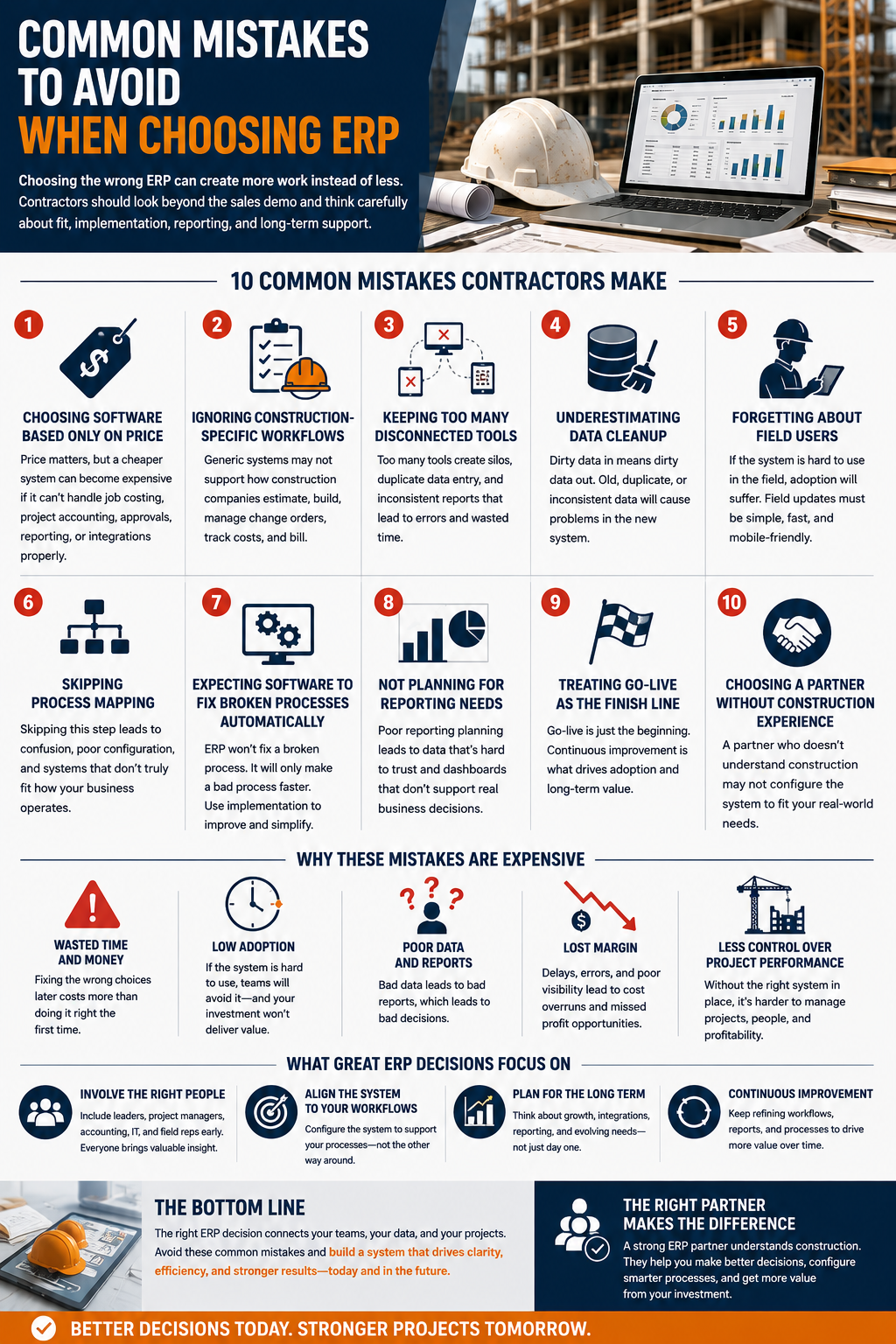
A company doesn't need to be massive to need ERP. Many small and mid-sized contractors reach a point where spreadsheets and disconnected tools can't keep up with the business.
Signs your company may be ready include:
- Your Team Relies On Spreadsheets For Critical Reporting
- Leadership Can't See Project Margins Quickly
- Accounting And Project Management Use Separate Data
- Change Orders Are Hard To Track
- Invoicing Takes Too Long
- Job Costing Is Delayed Or Incomplete
- Project Managers Don't Trust The Numbers
- Growth Is Making Old Processes Harder To Manage
- Multi-Entity Or Multi-Location Reporting Is Becoming Painful
- Staff Enter The Same Data In Multiple Places
The right time to review ERP is usually before the current process breaks completely. If growth is already creating reporting delays, cost confusion, or billing pressure, it's worth looking at a more connected system.
How BlueCollar Helps Construction Teams Get More From ERP
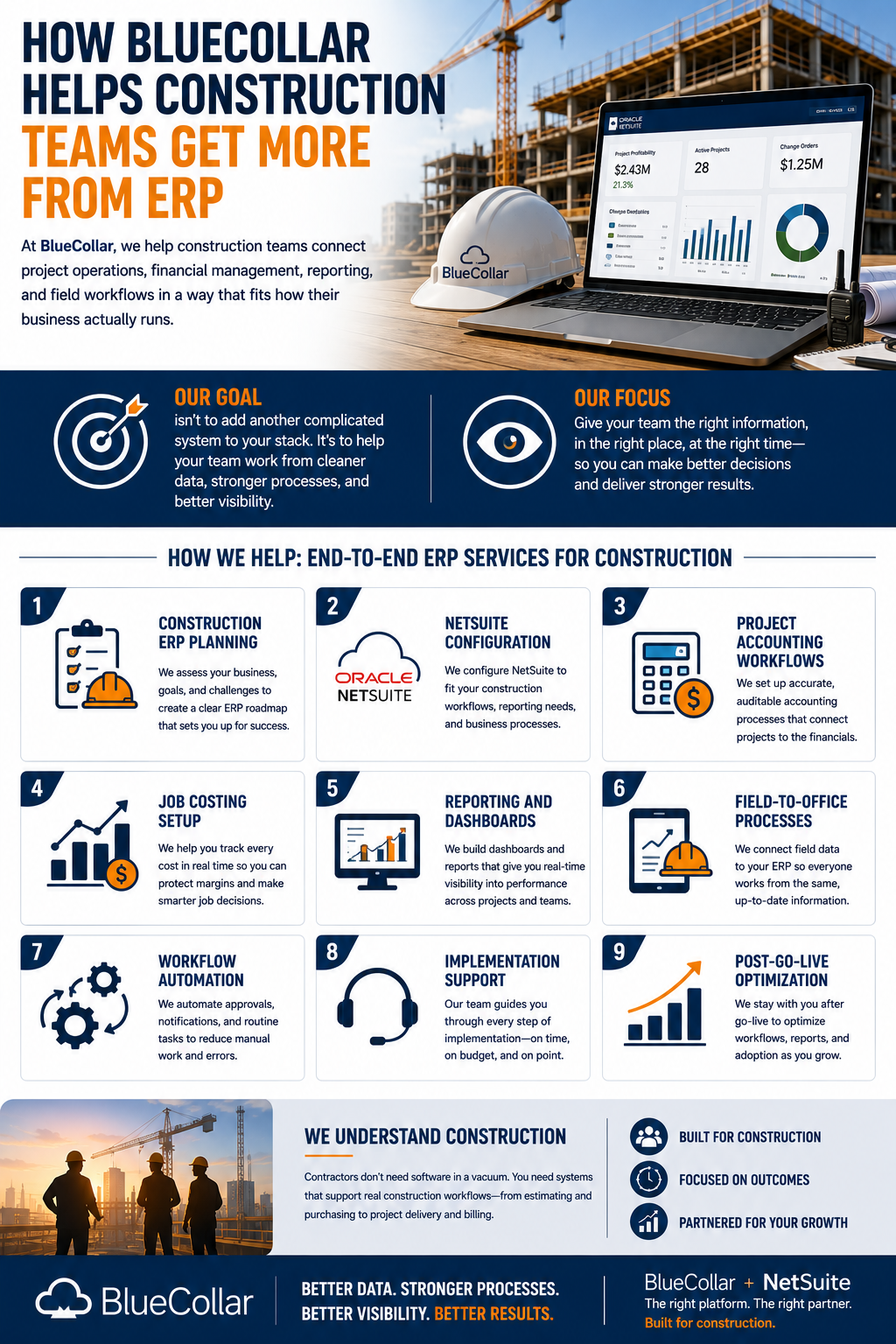
At BlueCollar, we help construction teams connect project operations, financial management, reporting, and field workflows in a way that fits how their business actually runs.
Our goal isn't to add another complicated system to your stack. It's to help your team work from cleaner data, stronger processes, and better visibility.
That can include:
- Construction ERP Planning
- NetSuite Configuration
- Project Accounting Workflows
- Job Costing Setup
- Reporting And Dashboards
- Field-To-Office Processes
- Workflow Automation
- Implementation Support
- Post-Go-Live Optimization
We understand that contractors don't need software in a vacuum. They need systems that support real construction workflows, from estimating and purchasing to project delivery and billing.
Talk To BlueCollar About ERP For Your Construction Business
If your construction team is tired of chasing spreadsheets, waiting on reports, or making decisions without a clear view of project performance, it may be time to rethink your systems.
Construction industry ERP software can help integrate financials, job costing, project data, procurement, and field operations into a single connected system. The result is better visibility, less manual work, and more confidence in the numbers behind every job.
Talk to BlueCollar today to see how a better ERP approach can help your team manage projects, control costs, and build with clearer information from start to finish. Schedule A Demo.
FAQs About Construction Industry ERP Software
What Is Construction Industry ERP Software?
It's a centralized system that helps contractors manage project accounting, job costing, procurement, labor tracking, reporting, financials, workflows, and field-to-office data. Instead of spreading information across spreadsheets and disconnected tools, ERP brings the business onto a single connected platform.
How Does ERP Help Construction Companies?
ERP helps construction companies reduce manual work, improve visibility, track costs, manage change orders, speed up reporting, and connect project data with financial data. It gives teams a clearer view of what's happening across active jobs.
What Features Should Contractors Look For In ERP?
Contractors should look for job costing, project accounting, procurement, labor tracking, dashboards, change order workflows, document management, integrations, reporting, and field access. The system should support both office and jobsite workflows.
Is ERP Useful For Small And Mid-Sized Construction Companies?
Yes. Growing contractors often benefit from ERP once spreadsheets and disconnected systems start slowing down reporting, billing, job costing, and decision-making. ERP can help smaller teams build better processes before growth creates more complexity.
How Long Does ERP Implementation Take For A Construction Company?
The timeline depends on company size, data quality, integrations, workflow complexity, and training needs. Many ERP projects include discovery, configuration, migration, testing, training, go-live support, and ongoing optimization.
Can ERP Help With Construction Job Costing?
Yes. ERP can connect labor, materials, subcontractor costs, equipment, purchase orders, and overhead to specific jobs. That helps teams compare estimated costs against actual costs and catch budget issues earlier.
Can ERP Help Reduce Construction Costs?
Yes. ERP can help teams spot budget variances earlier, reduce duplicate entry, improve procurement, streamline billing, and make labor tracking more accurate. Better cost control starts with better visibility.
Does ERP Replace Project Management Software?
It depends on the company's setup. Some contractors use ERP as the core system for financial and operational management. Others connect ERP with field project management tools so both systems support the full project lifecycle.
How Do Contractors Know They Are Ready For ERP?
Common signs include delayed reporting, spreadsheet overload, unclear margins, slow invoicing, disconnected systems, manual approvals, and difficulty tracking multiple projects. If your team is spending more time chasing data than using it, ERP may be the right next step.