Best ERP Software For Construction: How To Choose The Right System For Job Cost, Billing, And Growth
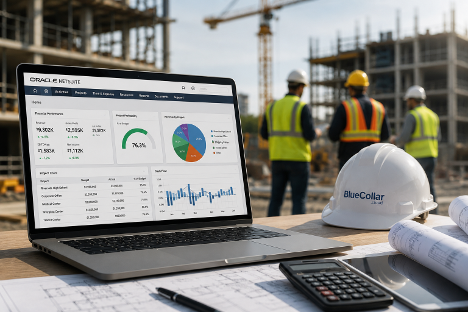
Most construction companies don't decide they need ERP because they love software. They decide because the business starts moving faster than their tools can handle. One more PM gets hired, one more division opens up, one more big project hits, and suddenly the "good enough" stack becomes a daily bottleneck.
The best ERP software for construction isn't a fancy accounting system with a few extra screens. It's the operational backbone that ties job costing, billing, cash flow, scheduling, and reporting into one place, so your team isn't rebuilding the truth from spreadsheets every week. If you're researching options, this guide walks through what to look for, what to avoid, and how to evaluate systems in a way that matches the realities of the jobsite.
What "ERP" Really Means In A Construction Business
ERP stands for enterprise resource planning, but that phrase is more confusing than helpful. In construction terms, ERP is the system that connects the company's financial side to how projects actually run. It's where budgets, commitments, actuals, billing, WIP, and operational workflows meet.
Construction feels ERP pain earlier than many industries because job-based work creates constant movement. Costs hit before revenue, change orders reshape margin midstream, and project teams need real visibility while the work is still in progress. If your data is split across accounting, project management tools, and disconnected reports, the business starts operating on delays and assumptions.
The Signs Your Current Stack Is Breaking
Most companies don't "wake up" needing an ERP system. They hit a breaking point. It might look like a slowdown in billing. It might look like job cost reports that arrive too late to help. It might look like leaders asking basic questions and getting five different answers depending on who built the report.
Here are common warning signs we see before an ERP move becomes unavoidable:
- Job cost reporting lags behind reality, so PMs can't trust the numbers they're managing against.
- Billing gets delayed because backup, approvals, and WIP data are scattered across too many places.
- Forecasting turns into guesswork because committed costs and actuals don't reconcile cleanly.
- You're doing duplicate entry across systems, and mistakes keep slipping into invoices and reports.
- Leadership can't see the margin, backlog, and cash position in one clear view without manual cleanup.
What The Best ERP Software For Construction Must Handle
ERP selection gets confusing because every vendor claims they "do construction." The quickest way to cut through that noise is to focus on core capabilities that are non-negotiable in job-based work. If the system can't handle these items cleanly, it will create more work than it removes.
Here's what a construction ERP must support at a baseline.
- Job costing that shows budget, committed cost, actual cost, and forecast cost in a single connected view.
- WIP and revenue recognition that align with how your contracts are structured and how you report internally.
- Billing workflows that support progress billing, time and materials, unit price, and change orders.
- Project controls that tie approvals and commitments to financial outcomes, not just paperwork storage.
- Role-based access so field, project teams, and finance see what they need without getting buried.
Construction Accounting: The Make-Or-Break Layer
Construction accounting isn't difficult because the math is hard. It's difficult because timing and structure are different. Retainage changes cash flow. Pay apps and progress billing create approval dependencies. WIP forces you to reconcile revenue, cost, and completion status on an ongoing basis. If you operate across entities, regions, or divisions, reporting complexity multiplies fast.
That's why ERP selection can't be separated from operations. If the accounting system isn't connected to how work is executed, finance is left chasing information, and PMs are left working off outdated numbers. The best outcomes occur when accounting, project management, and field workflows share a common set of core data and definitions.
Job Costing And Budget Control: Where Profit Gets Won Or Lost
Job costing is the heartbeat of construction ERP. If job costing is late, incomplete, or disconnected, your PMs manage projects with blind spots. That's where margin leaks. The goal isn't just accurate cost tracking after the job is done. The goal is decision support while the job is still in motion.
Strong job costing connects the full cost story: committed costs from POs and subcontracts, actual costs as invoices and payroll hits, and forecast adjustments as scope and conditions change. That gives PMs the ability to see problems early and act before the job goes sideways.
Here's a simple evaluation checklist you can use during demos to ensure practical workflows:
- Can you see budget vs committed vs actual in one place without exporting to spreadsheets?
- Can PMs update forecasts in a controlled way without finance rebuilding reports?
- Can you track cost codes and phases the way your field actually runs jobs?
- Can change orders adjust both revenue and cost expectations without messy workarounds?
Project Management And Scheduling: ERP Should Support The Jobsite Rhythm
A common misconception is that ERP replaces project management tools. In reality, ERP should support the rhythm of project execution while serving as the system of record for financial and operational truth. PMs shouldn't have to live inside accounting screens to keep a job on track, yet their decisions need to flow into financial visibility.
Scheduling is a big part of that. If schedules are disconnected from budgets and commitments, you get delays that show up as cost overruns with no early warning. A connected approach helps teams spot risk earlier, adjust resourcing, and keep billing aligned with progress.
NetSuite As A Construction ERP And How BlueCollar.cloud Approaches It
NetSuite is a powerful ERP platform, and it can support construction workflows well when it's implemented with construction realities in mind. The platform matters, but outcomes come down to configuration, process design, and adoption. A poorly installed ERP becomes a new source of friction. A well-implemented ERP becomes the foundation for scaling without chaos.
We focus heavily on the parts that construction companies actually feel day to day: job costing structure, billing workflows, reporting clarity, and project visibility that doesn't require manual rebuilding. The goal is a system that helps PMs run work, helps finance close cleanly, and helps leadership see the business without waiting for month-end surprises.
Here are common wins construction teams chase with NetSuite done right.
- Standardized job costing and forecasting across teams, regions, and project types.
- Cleaner billing cycles with better documentation, approvals, and fewer delays.
- Leadership dashboards that show margin, backlog, and cash flow in near real time.
How To Evaluate ERP Options Without Getting Sold A Fantasy
ERP demos are where good decisions go to die. Vendors show polished screens and clean sample data. Real construction businesses have a messy reality: change orders, retainage, backcharges, partial approvals, delayed invoices, and projects that never perfectly follow the plan.
The best way to evaluate ERP is to force the conversation into your real workflow. Bring your own job scenarios and insist on end-to-end walkthroughs that reflect how you operate.
Use this checklist to keep evaluation meetings grounded with key leadership strategies:
- Ask for a job lifecycle walkthrough from project setup to closeout, not a module tour.
- Ask to see change orders, billing, and WIP reporting in the same flow.
- Ask how field updates and PM decisions show up in job cost reporting and forecasts.
- Ask what "go-live" includes, plus training, support, and post-launch stabilization.
Implementation And Adoption: The Part Most Companies Underestimate
ERP isn't only a software project. It's a business process project. The implementation decisions you make will shape how your company operates for years to come. Data migration, chart of accounts design, cost code structure, roles, permissions, project management, and training are the pieces that decide whether ERP becomes a relief or a headache.
Growing teams also need consistent best practices, especially around project management workflows and handoffs. If PMs, accounting, and leadership define project data differently, reporting becomes unreliable again, even inside a single system.
Get Clear On Your ERP Fit And Next Steps
If you're evaluating ERP and want a clearer path to a decision, start with the construction ERP overview at bluecollar.cloud/blog/construction-erp-software. For a NetSuite-focused perspective on fit and outcomes in the construction industry, this article is a strong next read: bluecollar.cloud/blog/netsuite-best-erp-construction-industry.
Frequently Asked Questions About the Best ERP Software For Construction
What Is ERP Software In Construction?
ERP software in construction is a centralized system that connects job costing, accounting, billing, project operations, and reporting. It's designed to reduce duplicate entries and give teams one consistent source of truth. In a construction business, ERP should reflect how jobs are structured, how costs are incurred, and how revenue is billed and recognized. The goal is operational clarity while projects are active, not just clean books afterward.
What Features Matter Most In Construction ERP?
The most important features are job costing, WIP reporting, billing workflows, forecasting, and role-based project visibility. A construction ERP should track budget, committed costs, actuals, and forecast-to-complete in one connected view. It should also support contract types such as progress billing and time-and-materials without forcing workarounds. If those basics aren't strong, everything else becomes expensive noise.
Is NetSuite A Good ERP For Construction Companies?
NetSuite can be a strong fit for construction companies that need scalability, multi-entity reporting, and deeper operational control. The results depend heavily on configuration, process design, and adoption, since construction workflows require more than default settings. A good implementation aligns job costing, billing, and project visibility with how your teams actually run work. BlueCollar.cloud has several NetSuite construction resources that help you evaluate fit, including: bluecollar.cloud/blog/netsuite-for-construction.
How Much Does Construction ERP Software Cost?
Cost varies based on user count, modules, complexity, integrations, and the scope of implementation. License costs are only one part of the total, since configuration, data migration, training, and ongoing support can be significant. It's smart to evaluate cost in terms of operational savings, such as billing speed, reduced rework, and clearer job cost visibility. The cheapest option often becomes more expensive when it requires manual workarounds.
How Long Does An ERP Implementation Take For A Contractor?
Timelines depend on the complexity of your business and the cleanliness of your data and processes. A simpler implementation with clear workflows can move faster, while multi-entity businesses with custom billing and reporting needs require more planning. Internal bandwidth matters too, since the people who know the workflows best need to participate. Training and post-launch stabilization are part of the timeline, not optional extras.
Can ERP Replace QuickBooks For Construction?
Yes, and many contractors move to ERP because QuickBooks no longer fits the operational complexity of job-based growth. The biggest change is that ERP integrates projects and financials, reducing manual reconciliation and improving reporting consistency. You gain a stronger job-costing structure, better billing workflows, and clearer visibility into cash flow and margins. The switch should be planned carefully so the new system doesn't recreate the same spreadsheet dependency.
What Is The Difference Between ERP And Project Management Software?
ERP is the system of record for financials and operational data, including job cost, billing, and reporting. Project management software often focuses on execution, like schedules, tasks, documents, and daily coordination. In construction, these tools should complement each other rather than compete. The best setup connects project execution to financial truth so PMs can manage jobs with accurate cost and forecast visibility.
What Reports Should A Construction ERP Produce?
At a minimum, you should be able to produce job cost reports, WIP reports, billing status, cash flow views, and forecast-to-complete reporting. Leadership typically needs backlog visibility, project and division margins, and trend reporting that don't require manual cleanup. PMs need budget vs. committed vs. actual, and a clear view of remaining cost exposure. If reporting takes days of spreadsheet work, the ERP isn't doing its job.
How Do I Choose The Right ERP Partner Or Implementer?
Choose a partner who understands construction workflows, not just the software interface. You want someone who can map job lifecycles, design job costing structures, and build billing and reporting around your contract types. Adoption planning matters too, since the best system fails if people don't use it consistently. A strong partner will push for realistic workflows, clear definitions, and a launch plan that supports your team after go-live.